
After the Clocks Fall Back: How to Reset Your Thermostat for a Furnace or Heat Pump
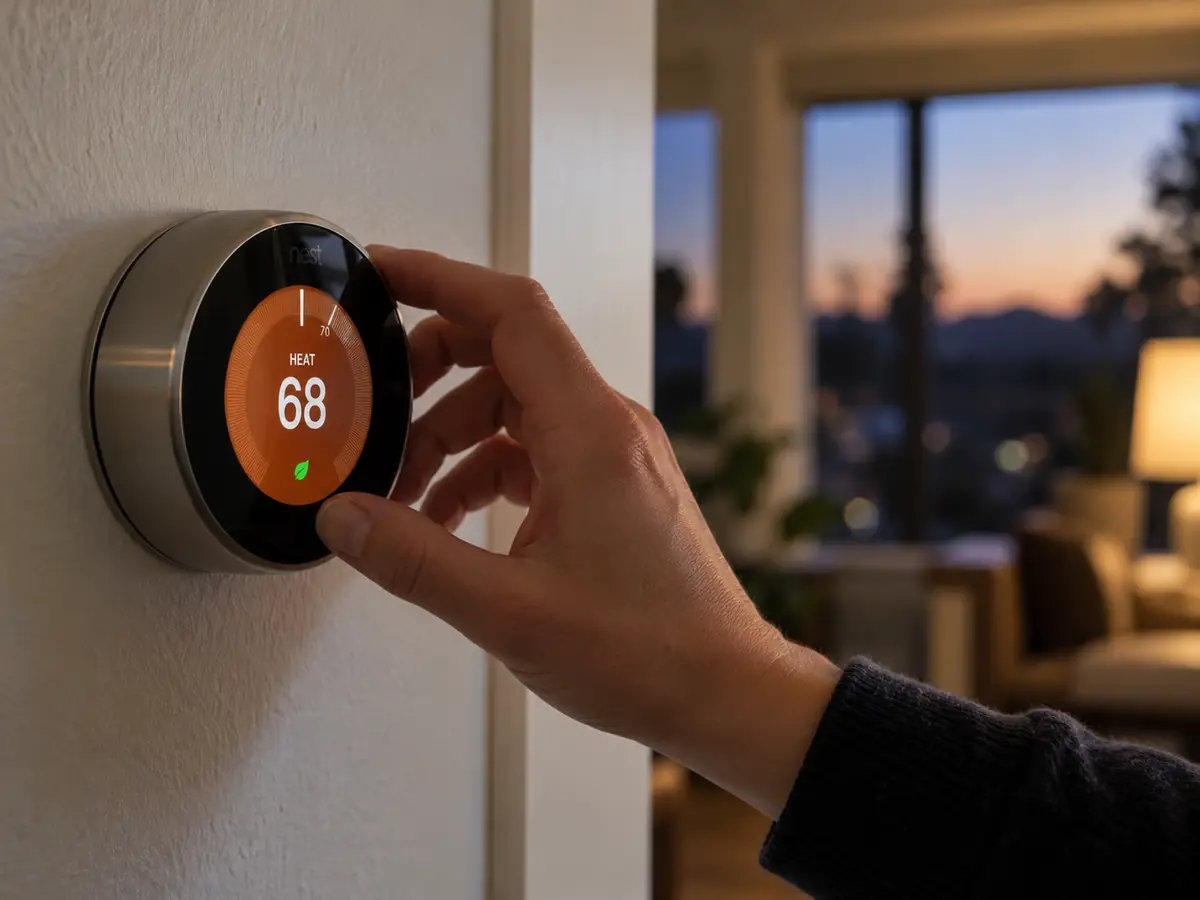
At 2:00 a.m. on Sunday, November 1, the clocks roll back an hour. Your phone handles it in its sleep. The microwave will blink 12:00 at you until someone caves. Your thermostat is the wild card, and it’s the only one of the three that can quietly run up your heating bill all winter.
If it misses the change, your whole heating schedule runs an hour off. And since this is the week most San Francisco and Marin homes settle into a real heating routine, it’s a good time to check something bigger. Are your night settings right for the kind of system you actually have? A gas furnace and a heat pump answer that question in very different ways.
Here’s a 10-minute reset you can do this weekend, plus the setback rules most generic advice gets backwards for heat pumps.
What happens when your thermostat misses the time change
A thermostat still running on daylight time thinks it’s an hour later than it really is. That shifts every event in your schedule.
- Mornings: if the heat is set to kick on at 6:00 a.m., it starts at 5:00. You’re paying to warm the house an hour before anyone gets up.
- Evenings: if the temperature is set to drop at 10:30 p.m., it drops at 9:30. You’re on the couch wondering why the room just got chilly.
Neither one is an emergency. But it repeats every single day until somebody notices, and in a lot of homes nobody does until spring.
Does your thermostat update itself?
It depends on what’s on your wall.
- Wi-Fi and smart thermostats usually pull the correct time from the internet. Still glance at it after Sunday. If your router was replaced or the thermostat dropped off Wi-Fi, it may be running on its own internal clock. For background on these systems, see our post on how smart HVAC can save you time, energy, and stress.
- Digital programmable thermostats often have an automatic daylight saving setting, but it can be switched off. Here’s a fun one: U.S. daylight saving rules changed in 2007. Before that, the clocks fell back on the last Sunday of October. Some older thermostats can still be running on the old calendar, which means they may have switched on October 25, a full week early. If your house felt an hour off last week, that’s a likely suspect.
- Manual dial or basic non-programmable thermostats have no clock. Nothing to reset.
- Ductless mini-split remotes and wall controllers often keep their own clock for timers and schedules. Check the remote’s display, and the owner’s manual if the setting isn’t obvious. Our guide to ductless mini-splits for Marin homes without ductwork covers how these systems are typically controlled.
- Wall and floor furnaces with a built-in thermostat usually have no schedule at all. If that’s your setup, see wall furnaces and floor furnaces: repair, replace, or upgrade?
The 10-minute thermostat reset
Everything below is safe for a homeowner. None of it involves removing the thermostat from the wall or touching wiring.
- Check the time and the day. Some thermostats lose the day of the week after a battery change, which scrambles weekday and weekend schedules.
- Turn on automatic daylight saving if your thermostat has it, or set the time by hand.
- Swap the batteries if your model uses them. A weak battery can cause a blank screen, a lost schedule, or a missed call for heat. If you have to pull the thermostat off its wall plate to reach the batteries, follow the manufacturer’s instructions and don’t disturb the wires.
- Rethink the schedule for winter. Shorter afternoons mean west-facing rooms lose their free solar heat earlier. If the living room cools off around 4:00 p.m. now, move your evening warm-up earlier.
- Check the mode. It should say Heat (or Auto, if you want it to switch between heating and cooling on its own). On a heat pump, make sure it isn’t sitting on Emergency Heat. More on that below.
- Test your carbon monoxide alarms. If your home has a gas furnace, gas water heater, gas stove, fireplace, or attached garage, California law requires a CO alarm (California Health and Safety Code 17926). Press the test button, and replace any unit past the expiration date printed on its back.
- Peek at the air filter while you’re up. Our FAQ page covers how often different filter thicknesses typically need replacing.
Furnace or heat pump? Your night setting should be different
This is the part most “turn down the heat at night” advice skips.
If you have a gas furnace: setbacks are your friend
The U.S. Department of Energy says you can save as much as 10% a year on heating and cooling by turning your thermostat back 7 to 10 degrees for 8 hours a day. Here’s the part Bay Area homeowners will like: DOE also notes that the percentage saved from setbacks is greater in milder climates than in harsh ones. Our mild nights work in your favor.
You may have heard that a furnace “works harder” to reheat the house in the morning and erases the savings. DOE calls that a misconception. A cooler house loses heat to the outdoors more slowly, so the hours spent at the lower temperature are where the savings come from.
One caveat for older homes: a drafty Victorian or Edwardian can take a while to recover, so you may need to start the morning warm-up earlier than you’d expect. If that’s your house, our post on why older San Francisco homes lose heat explains where that heat usually escapes.
If you have a heat pump: go easy on the setback
Heat pumps play by different rules. DOE says that setting back a heat pump in heating mode can make it run inefficiently enough to cancel out the savings. For a standard thermostat, a moderate, steady setting is usually the most cost-effective choice.
The reason is backup heat. Many ducted heat pumps have auxiliary electric resistance heat, often called heat strips. When the thermostat asks for a big temperature jump on a cold morning, the system may call on those strips to close the gap faster. Resistance heat gets the job done, but it costs far more to run than the heat pump itself.
Ductless mini-splits often handle this differently. Many don’t use backup heat strips, but they ramp up to high speed to recover, which is less efficient than steady low-speed running.
The exception: some thermostats are designed specifically for heat pumps. DOE notes these use special recovery logic that keeps backup heat to a minimum, which makes setting back cost-effective again. If you have one, it still needs to be configured correctly for your equipment.
How cold your nights get matters too. Heat pump owners in the foggy western neighborhoods of San Francisco usually see mild overnight lows. Homes in inland Marin valleys can get noticeably colder by dawn, which makes a big setback more likely to trigger backup heat. Curious how heat pumps handle our climate in general? Read do heat pumps work in San Francisco’s fog? or our side-by-side look at heat pump or furnace.
How to tell if your heat pump is leaning on backup heat
Many thermostats show an “Aux Heat” or “Aux” indicator whenever backup heat is running. Seeing it now and then on a frosty morning can be normal. Seeing it most mornings on mild Bay Area nights is worth asking about. The cause could be the setback, but it can also be a thermostat configuration issue, an outdoor sensor setting, or a problem with the heat pump itself.
Don’t confuse Aux with Emergency Heat. Emergency Heat is a manual mode that runs backup heat only and skips the heat pump. It’s meant for when the heat pump has failed, not for everyday use.
Also, a heat pump that briefly blows cooler air on a cold, damp morning may simply be defrosting its outdoor coil. Our post on why your heater is blowing cold air walks through what’s normal and what isn’t.
Four thermostat myths worth retiring this winter
“Cranking it to 80 heats the house faster.” A typical single-stage furnace delivers heat at the same rate whether you set 70 or 80. All you get is overshoot. On a heat pump, a big jump can trigger backup heat and make things worse.
“Off overnight is always cheapest.” For a furnace, a setback does most of the work without the long, chilly recovery. For a heat pump with a standard thermostat, a deep drop can cost more than it saves.
“A programmable thermostat saves money automatically.” It only saves what its schedule tells it to. An hour-off clock or a schedule nobody has touched since spring can wipe out the benefit.
“The thermostat says 68, so every room is 68.” It only reads the air where it hangs. DOE recommends an interior wall away from direct sun, drafts, doorways, skylights, and windows. If one room never matches the rest, see why one room is always hotter or colder than the rest of the house. In multi-level Marin homes, HVAC zoning is sometimes the real fix.
When the thermostat isn’t the real problem
A schedule tweak won’t help if the equipment is struggling. These are signs to look past the thermostat:
- The furnace turns on and off every few minutes. That’s short cycling, and it usually has a cause in the system, not the schedule.
- The heat runs and runs but never reaches the set temperature.
- A burning smell lasts well beyond the first few runs of the season. See why your furnace smells like burning the first time you turn on the heat.
- Your heat pump shows Aux most mornings, even on mild nights.
- A CO alarm sounds. Get everyone outside and call 911 or the gas company from outside. Don’t try to troubleshoot. For context on one of the more serious furnace findings, read what to ask if you’re told your furnace has a cracked heat exchanger.
When a technician looks at a heating complaint like this, the thermostat is only one stop. Typical checks include:
- whether the thermostat is set up for the equipment it controls (heat pump versus furnace, stages, backup heat settings)
- whether the call for heat actually reaches the equipment
- where the thermostat is mounted
- airflow and temperature rise at the equipment
- on a heat pump, refrigerant performance and defrost operation
- on a gas furnace, combustion and venting safety
What not to do
- Don’t pull the thermostat off the wall to rewire it. That includes swapping in a new smart thermostat on a heat pump without confirming it’s compatible and configured correctly. On a heat pump, the wrong setting for the reversing valve (the part that switches between heating and cooling) can make the system cool when you’re asking for heat.
- Don’t use Emergency Heat as a daily setting.
- Don’t silence a chirping CO alarm by pulling it off the ceiling. Replace the battery or the alarm.
Your next step
Reset the clock, check the batteries, and match your night setting to your system: a real setback for a furnace, a gentle one (or a heat-pump-ready thermostat) for a heat pump. Then watch the first few cold mornings.
If the house still runs cold at breakfast, or your heat pump keeps flashing Aux, that’s when a closer look pays off. Bay Air can check how your thermostat is set up against the equipment it’s controlling, not just the schedule. Learn more about our heating services, call (628) 289-3552, or request a heating check online.
Thermostat and time change FAQs
Do smart thermostats change automatically for daylight saving time? Most Wi-Fi thermostats update automatically when they’re connected to the internet. Check the display after Sunday anyway, especially if your router or Wi-Fi password changed recently.
How much should I turn down my heat pump at night? With a standard thermostat, keep the setback small or skip it. DOE says large setbacks can make a heat pump run inefficiently. A thermostat designed for heat pumps can manage a deeper setback because it recovers gradually and limits backup heat.
Why does my thermostat say “Aux Heat” in the morning? Your heat pump is getting help from its backup heat, usually because the house needs a big temperature jump. Occasional Aux on a cold morning can be normal. Frequent Aux on mild mornings is worth having checked.
Is it cheaper to turn my gas furnace off at night? A setback of 7 to 10 degrees captures most of the savings DOE describes, without a long, cold recovery. Turning the heat fully off can also work, but older, drafty homes may take a long time to warm back up.
Do I need a carbon monoxide alarm if I have an electric heat pump? California requires CO alarms in homes with any fossil-fuel-burning heater or appliance, a fireplace, or an attached garage. Many homes with heat pumps still have a gas water heater, gas stove, or attached garage. If yours does, you need one.